The Ultimate Paperless Office App?

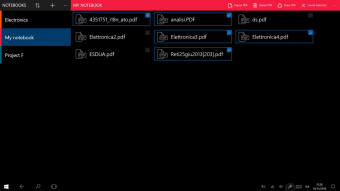
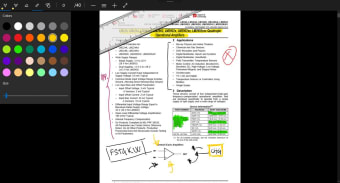
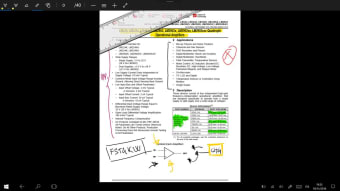
This free app is the ideal tool for anyone who works with PDFs regularly. Unlike word processor documents, the ability to append or annotate PDFs on the fly is not always easy. However, Inky - PDF reader & ink annotation allows users to write directly on to PDF documents at will, opening up a world of editorial possibilities.

Top Recommended Alternative

Perfect PDFs

Editing PDFs has long been possible, so long as you already have the right sort of software, but sketching your ideas in the margin in a freehand style has not. Furthermore, the chance to make handwritten notes at the top or bottom of PDF has traditionally only been possible if you print it out and write on the paper. On the other hand, Inky - PDF reader & ink annotation allows you to write whatever you like on a PDF in a variety of colours and to save the document in its annotated state. This means you can avoid using paper and even send the PDF back to whoever sent it to you with your freestyle ideas and suggestions on it ready for them to make changes. This UWP application makes use of touch screen technologies to create a much more dynamic use of this popular document file format.

Write and Draw With Ease

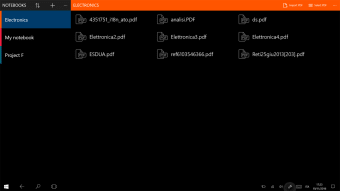
Available for both Windows 10 and Windows 10 Mobile, Inky - PDF reader & ink annotation can be opened quickly whenever you want to respond rapidly to a PDF. It uses a drag and drop interface to help you provide feedback on all the documents you might receive.


  • Pros

    • Save PDFs with new file names
    • Quick and intuitive annotation tool
  • Cons

    • Only English (US) supported
    • Requires almost 20MB of free space
 0/4

App specs

  • License

    Free

  • Latest update

  • Platform

    Windows

  • OS

    Windows 10

  • Language

    English

  • Downloads

    2.6K

    Last month's downloads

    • 4
  • Developer

Program available in other languages


User reviews about Inky - PDF reader & ink annotation

Have you tried Inky - PDF reader & ink annotation? Be the first to leave your opinion!

Add review

You may also like

Alternatives to Inky - PDF reader & ink annotation

Explore Apps

Latest articles

Laws concerning the use of this software vary from country to country. We do not encourage or condone the use of this program if it is in violation of these laws.
Softonic

Is Inky - PDF reader & ink annotation safe?

Score result: Clean

This file passed a comprehensive security scan using VirusTotal technology. It is safe to download.

  • Virus free
  • Spyware free
  • Malware free
  • Verified by Security Partners

    VirusTotal logo

Scan Info

Last scan
Friday, December 8, 2023
Scan provider
VirusTotal

Softonic security commitment

Inky - PDF reader & ink annotation has been thoroughly scanned by our advanced security systems and verified by industry-leading partners. This file comes from the official developer and has passed all our security checks, showing no signs of viruses, malware, or spyware. For more information, visit our Security and Trust Center